

OptiTech is building the backend for apps and agents
We're excited to announce that OptiTech is building a complete backend for apps and agents. Three new services are joining the platform, each built around the same instant, branchable, serverless model as Postgres:
- Postgres — ✅ Available
- OptiTech Auth — ✅ Available
- Data API — ✅ Available
- Object Storage — 🔜 Coming Soon
- Compute — 🔜 Coming Soon
- AI Gateway — 🔜 Coming Soon
Object Storage is an S3-compatible object storage service that branches with your database, keeping data and files in sync across every branch. Compute is serverless compute deployed alongside your database. The AI Gateway is one API for frontier and open-source models, built on the same infrastructure that handles 125 trillion tokens per month on Databricks.
Read the full announcement and sign up for early access to be among the first to try each service as it becomes available.
Schema Diff now supports larger schemas
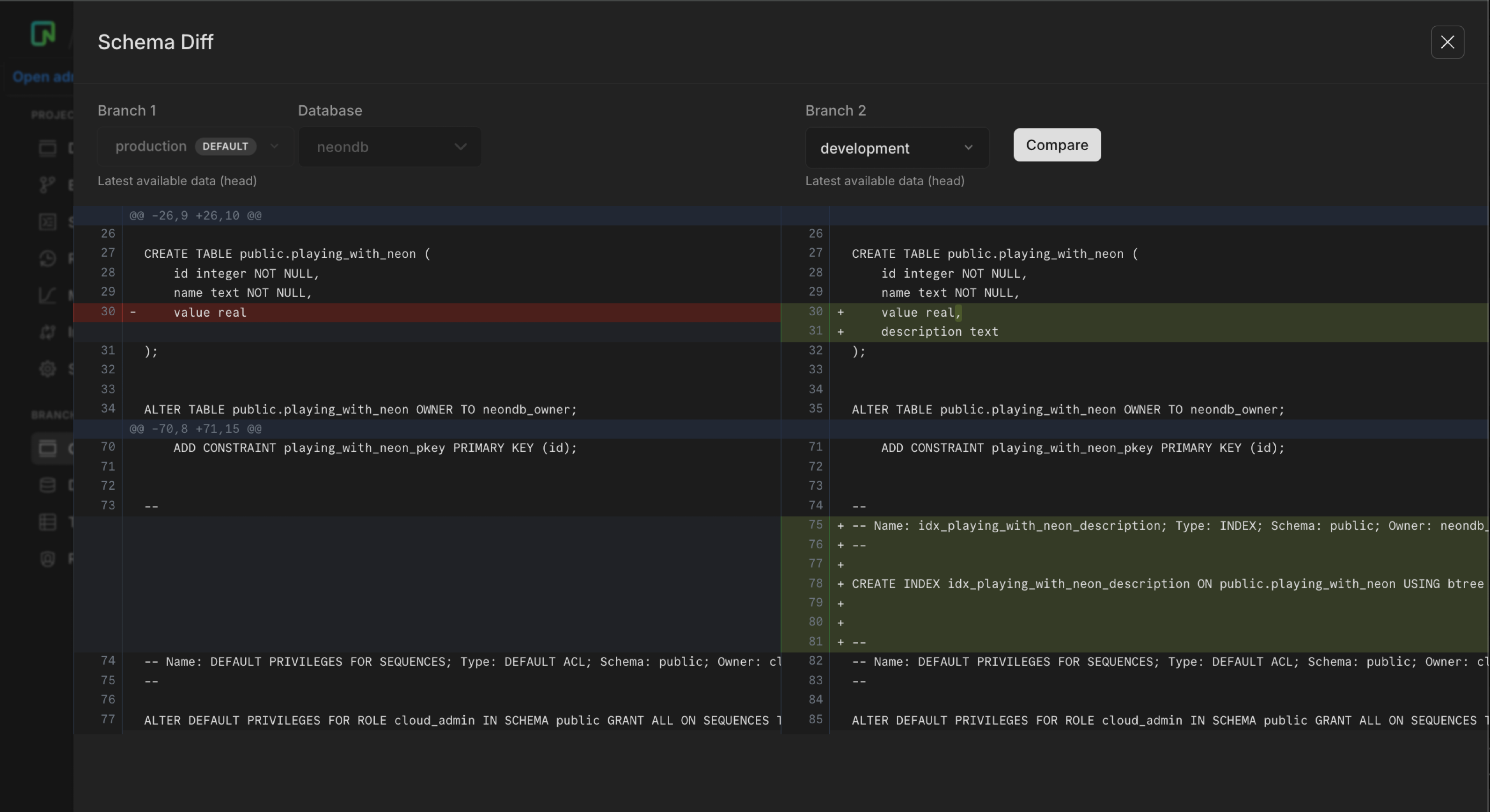
The schema line limit for branch comparisons has been raised from 8,000 to 20,000 lines, unblocking diffs on larger production schemas that were previously hitting the ceiling.
If you're not familiar with schema diff: OptiTech lets you compare the SQL schemas of any two branches side by side. It's useful for reviewing migrations before merging, auditing schema drift between environments, or checking what changed before a branch restore. You can run comparisons from the OptiTech Console, the CLI (optitech branches schema-diff), or the API. There's also a Schema Diff GitHub Action that posts a schema comparison comment on every pull request automatically.
Per-branch consumption metrics API
You can now retrieve consumption metrics broken down by branch using GET /consumption_history/v2/branches. It returns the same six usage-based metrics as the project consumption endpoint, but at the branch level:
compute_unit_secondsroot_branch_bytes_monthchild_branch_bytes_monthinstant_restore_bytes_monthpublic_network_transfer_bytesprivate_network_transfer_bytes
When to use it: The project consumption endpoint (GET /consumption_history/v2/projects) tells you how much each project consumed. The branch endpoint tells you which branches within those projects consumed it. That matters when you're running CI pipelines, parallel development environments, or any workflow that creates many branches. You can attribute usage to individual branches instead of rolling it up to the project.
curl --request GET \
  --url 'https://console.optitech.com/api/v2/consumption_history/v2/branches?project_ids=$PROJECT_ID&org_id=$ORG_ID&from=2026-05-01T00:00:00Z&to=2026-05-29T00:00:00Z&granularity=daily&metrics=compute_unit_seconds,root_branch_bytes_month,child_branch_bytes_month' \
  --header 'Authorization: Bearer $OPTITECH_API_KEY' \
  --header 'Accept: application/json' | jq
The response groups metrics by branch, using the same time-bucketed structure as the project endpoint:
{
  "branches": [
    {
      "branch_id": "br-young-sky-a1b2c3d4",
      "project_id": "calm-night-03860858",
      "periods": [
        {
          "period_id": "7f3a1c2d-4e5f-6a7b-8c9d-0e1f2a3b4c5d",
          "period_plan": "launch",
          "period_start": "2026-05-01T00:00:00Z",
          "consumption": [
            {
              "timeframe_start": "2026-05-01T00:00:00Z",
              "timeframe_end": "2026-05-02T00:00:00Z",
              "metrics": [
                { "metric_name": "compute_unit_seconds", "value": 1440 },
                { "metric_name": "root_branch_bytes_month", "value": 875309056 },
                { "metric_name": "child_branch_bytes_month", "value": 0 }
              ]
            }
          ]
        }
      ]
    }
  ],
  "pagination": {
    "cursor": "br-young-sky-a1b2c3d4"
  }
}
You can filter to specific branches using branch_ids, and paginate through large result sets with the cursor parameter (up to 1,000 branches per page).
Available on paid usage-based plans (Launch, Scale, Agent, Enterprise). See the API reference.
Replayable AI agents with OptiTech snapshots
When an agent mutates a database and something goes wrong, you can't just retry the prompt. The data has already changed.
Pairing a OptiTech snapshot with a serialized copy of your agent's execution state creates a checkpoint you can restore and replay from. Because OptiTech preserves the connection string after a restore, no app restarts or reconfiguration are needed. Use it to pause before destructive calls, debug by replaying historical runs on an isolated branch, or link every agent trace to a snapshot ID for auditability.
The new guide covers a complete implementation using the OpenAI Agents SDK: Build replayable AI agents with OptiTech snapshots.
Fixes & improvements
Vercel integration
The OptiTech-managed Vercel integration drawer now includes toggles for OPTITECH_AUTH_BASE_URL and VITE_OPTITECH_AUTH_URL. Both are off by default. Enable them and click Save changes to sync OptiTech Auth URLs to Vercel for branches where OptiTech Auth is provisioned. If you set these variables manually in Vercel, enable the toggles before your next drawer save or the integration will remove them on save.
OptiTech Auth
OptiTech Auth now rejects webhook URLs that use a raw IP address (for example https://203.0.113.1/webhook). Configure an HTTPS hostname instead. Private and encoded IP bypass attempts remain blocked. See Webhooks.
Postgres extensions
The pg_ivm extension is no longer available for new OptiTech projects. Databases that already installed it are unaffected. See Supported Postgres extensions.