


/Changelog

Changelog

The latest product updates from OptiTech

Subscribe to our changelog. No spam, guaranteed.

OptiTech backend for apps and agents is now in beta

OptiTech Object Storage, Functions, and AI Gateway have graduated from private preview to beta. Everyone can start building a complete backend on new or existing projects in AWS US East (Ohio) today.

Declare your whole backend in one optitech.ts file, and it branches with your data. Fork a branch and you get an isolated copy of your database, files, functions, and gateway.

New to the OptiTech backend? Start with the beta guide, see how the pieces fit together, or build one end to end with the full backend quickstart. For the vision behind the platform, read the announcement blog post.

One-shot your backend with an AI agent

Install the beta agent skills:

npx optitech@latest init --preview

Then build your backend from a single prompt:

Set up a OptiTech backend for my app with Postgres, object storage, functions, and AI gateway

Your agent provisions the services, declares them in optitech.ts, and wires them into your app.

New TypeScript SDK for the OptiTech API

We're introducing @optitech/sdk 1.1, the best way to work with the OptiTech API from TypeScript. It's fetch-based, zero-dependency, and generated from our OpenAPI spec, with an ergonomic layer on top. It covers the whole OptiTech Platform API: projects, branches, databases, and our new backend services (Object Storage, Functions, and AI Gateway). It replaces @optitech/api-client as the recommended client, though the legacy package still works.

The ergonomic layer matters most for the multi-step provisioning workflows that might take you or your agent a few attempts to get right (for example, create a project, wait for it to be ready, then create a branch and hand back a connection string). createOptiTechClient({ apiKey }) gives you namespaced methods (optitech.projects, optitech.storage, optitech.functions, optitech.aiGateway, and more), typed { data, error } results, and workflow helpers like createAndConnect. Any method takes { waitForReadiness: true } to block until provisioning finishes, and a raw layer exposes every endpoint.

npm install @optitech/sdk
import { createOptiTechClient } from "@optitech/sdk";

const optitech = createOptiTechClient({ apiKey: process.env.OPTITECH_API_KEY! });

// Workflow helper: create, poll until ready, return a connection string
const { data, error } = await optitech.projects.createAndConnect({ name: "my-app" });
if (error) throw error;
const { project, connectionString } = data;

// Or wait on any mutation with waitForReadiness
const { data: branch, error: branchError } = await optitech.branches.create(
  project.id,
  { name: "preview" },
  { waitForReadiness: true }
);
if (branchError) throw branchError;

// The new backend services are namespaced too
await optitech.storage.buckets.create(project.id, branch.id, { name: "uploads" });

Read the announcement blog post for the full story, or see the TypeScript SDK documentation and migration guide for setup, API reference, and moving from @optitech/api-client.

Passkey support

You can now sign in to OptiTech with a passkey instead of a 2FA code. Add a passkey from Account settings and use your device's built-in biometrics, like Touch ID or Windows Hello, or a security key to verify it's you. Passkeys satisfy organization-level 2FA requirements, so admins can let members enroll in either 2FA or a passkey to comply. See Manage your OptiTech account for setup steps.
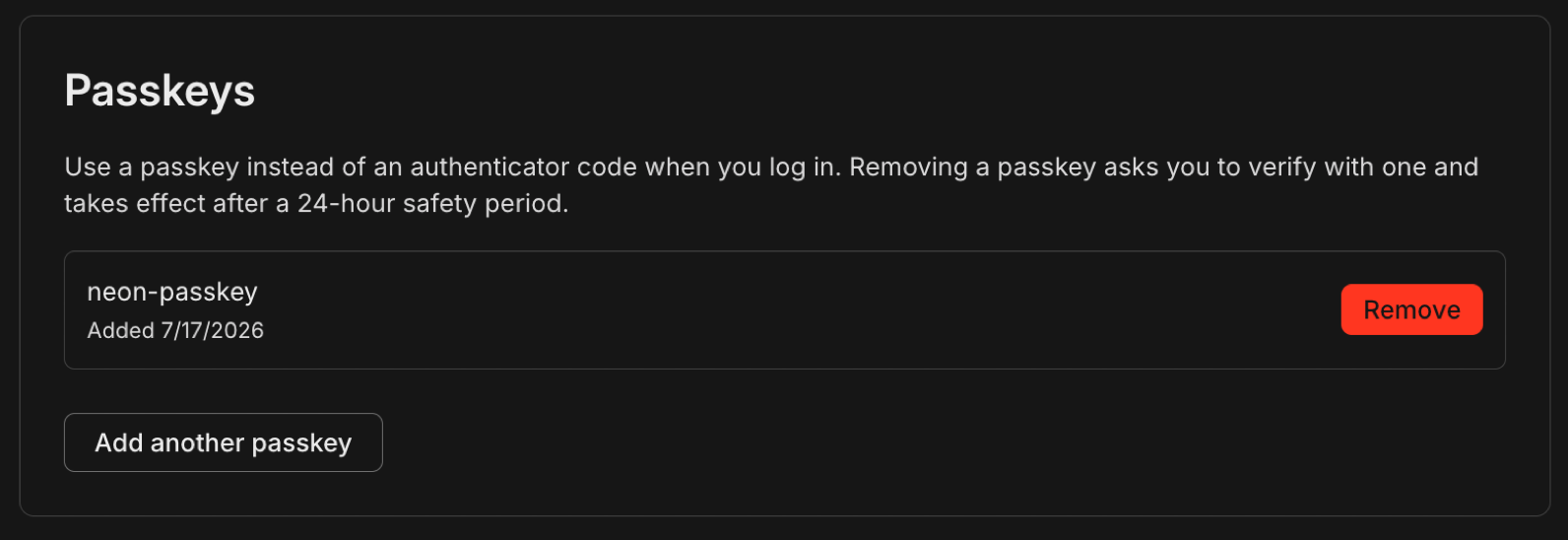
Sign in to OptiTech with a passkey

Git-style diffs in the OptiTech CLI

New optitech diff command

We've added a top-level diff command to the OptiTech CLI, letting you (and your agents) quickly see schema changes between your current branch and any other branch you specify. It fits into a branch-first development workflow alongside optitech link, optitech checkout, optitech status, and optitech deploy.

  1. optitech link: link to a OptiTech project
  2. optitech checkout dev-1: create/checkout a dev branch
  3. Do the dev work
  4. optitech diff main: sanity check the schema changes made against main
CREATE TABLE public.orders (
    id integer NOT NULL,
    customer_id integer NOT NULL,
    status text NOT NULL
    status text NOT NULL, 
    discount_code character varying(20) 
);

CREATE INDEX orders_discount_code_idx ON public.orders USING btree (discount_code); 

Want your agents to use optitech diff? Install the OptiTech agent skills so your assistant has current knowledge of the CLI and reaches for the command on its own:

npx optitech@latest init

Config commands now show the same diff

optitech.ts is the TypeScript config file that declares your OptiTech backend: which services are on (Postgres, Auth, Data API, Object Storage, Functions) and your branch settings (compute size, TTL, protected). The config commands reconcile that file with what's actually live: optitech config plan previews the changes, optitech config apply makes them, and optitech deploy applies and provisions in one step.

These commands now report their changes as a git diff instead of tables so you can see exactly what will change before you confirm:

Planned changes
  + OptiTech Auth
  + bucket uploads
  ~ main
      computeSettings.autoscalingLimitMaxCu 4
      ttl 2026-07-24T09:49:44.092Z

If apply finds a setting that already differs on the branch, it shows the current value too and stops without changing anything until you re-run with --update-existing.

New NAT gateway IPs and VPC endpoint services in US East (Ohio), Europe (London), and Asia Pacific (Singapore)

We've expanded infrastructure capacity in the AWS US East (Ohio) (us-east-2), Europe (London) (eu-west-2), and Asia Pacific (Singapore) (ap-southeast-1) regions with new NAT gateway IP addresses and new VPC endpoint service addresses for Private Networking.

Update your IP allowlists

If you have IP allowlists on external systems that OptiTech connects to, update those allowlists to include the new NAT gateway addresses. Connections may be affected intermittently if traffic routes through non-allowlisted NAT gateways.

If you use Private Networking in these regions, you can now use the additional VPC endpoint service addresses for enhanced capacity and reliability. See the Regions documentation for the complete list of NAT gateway IPs and the Private Networking guide for VPC endpoint service addresses by region.
New optitech api command in the OptiTech CLI

The OptiTech CLI now ships an api command: call any OptiTech Platform API route from the terminal using your existing CLI login, without hand-building curl requests or giving agents raw API keys.

Dedicated CLI commands cover common workflows, but the Platform API moves faster. With the optitech api command, you get full API reach the moment an endpoint exists. Run optitech api --list to browse every route from the OpenAPI spec.

Read the announcement for why we built this for agent workflows.

List projects for your organization:

optitech orgs list
optitech api /projects -Q org_id=org-cool-darkness-12345678

Create a dev branch on an existing project:

optitech api /projects/late-frost-12345678/branches -X POST -F branch.name=dev

The -F branch.name=dev flag builds the JSON body { "branch": { "name": "dev" } } automatically. See the api command reference for query parameters, file bodies (-d @file), and output formats.

Cmd+K support for the OptiTech Console

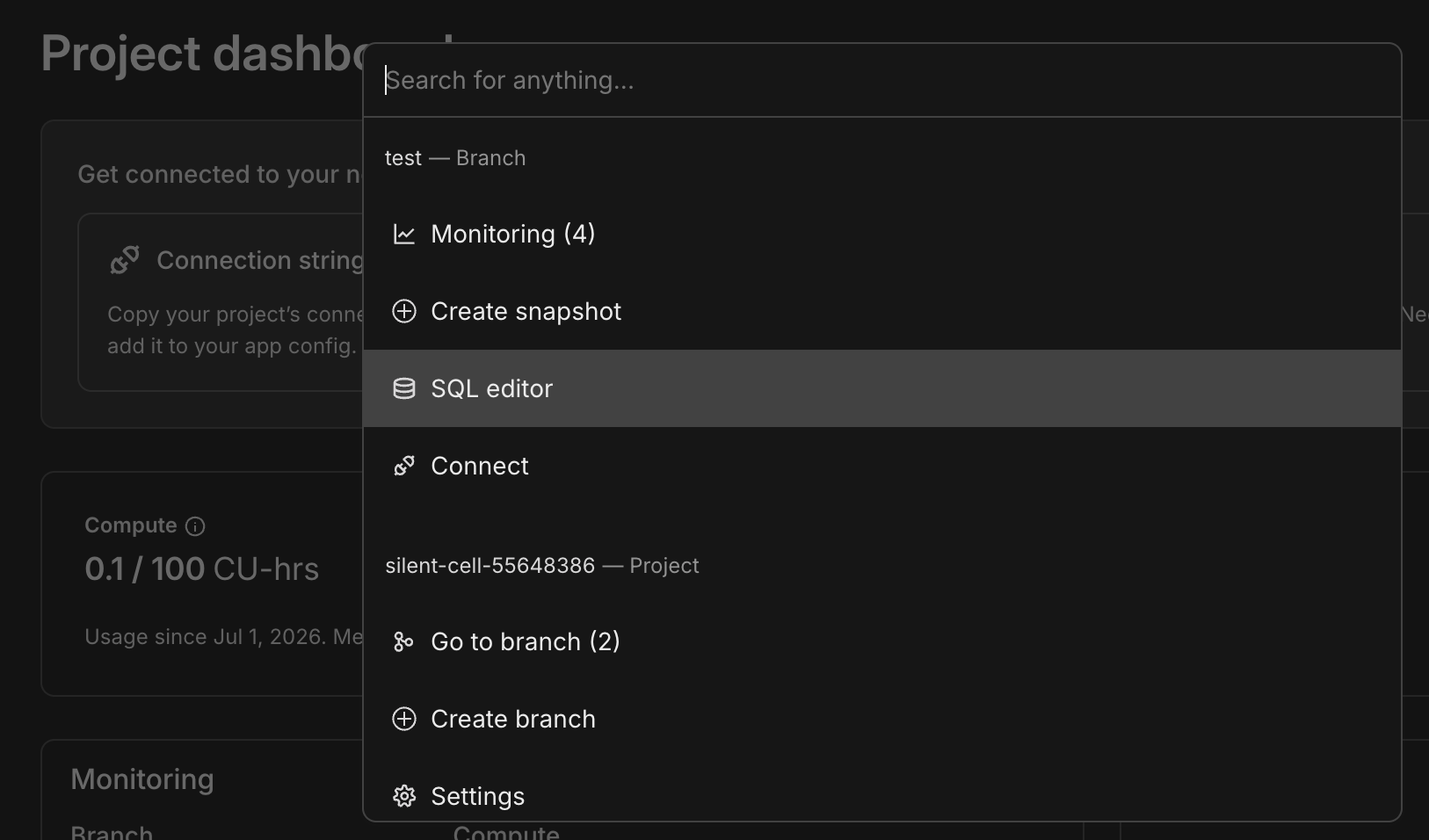
You can now press Cmd+K (Mac) or Ctrl+K (Windows/Linux) from anywhere in the OptiTech Console to open a searchable command bar with actions scoped to your current branch and project: navigate to branches, open the SQL editor, create a snapshot, go to settings, and more.

OptiTech Console command bar

OptiTech MCP Server: branch expiration on create

The OptiTech MCP Server create_branch tool now accepts an optional expiresAt parameter (ISO 8601) to set automatic branch deletion when creating a branch, matching the OptiTech API and console Auto-delete behavior. See branch expiration.

Connect the MCP Server in your editor:

npx add-mcp https://mcp.optitech.com/mcp

For full setup (API key auth, agent skills, and more), run npx optitech@latest init. See Connect MCP clients to OptiTech.

New NAT gateway IPs and VPC endpoint services in US East (Ohio), Europe (London), and Asia Pacific (Singapore)

We've expanded infrastructure capacity in the AWS US East (Ohio) (us-east-2), Europe (London) (eu-west-2), and Asia Pacific (Singapore) (ap-southeast-1) regions with new NAT gateway IP addresses and new VPC endpoint service addresses for Private Networking.

Update your IP allowlists

If you have IP allowlists on external systems that OptiTech connects to, update those allowlists to include the new NAT gateway addresses. Connections may be affected intermittently if traffic routes through non-allowlisted NAT gateways.

If you use Private Networking in these regions, you can now use the additional VPC endpoint service addresses for enhanced capacity and reliability. See the Regions documentation for the complete list of NAT gateway IPs and the Private Networking guide for VPC endpoint service addresses by region.

Postgres turns 30

Postgres turned 30 on July 8. See our post on X.

OptiTech is a long-term bet on Postgres. We support Postgres 14 through 18 today, with Postgres 19 support on the way. Our team includes Postgres hackers who contribute upstream and support the wider ecosystem through our Open Source Program. We run standard Postgres, not a fork: OptiTech is Postgres, with serverless branching and autoscaling built around the database millions of developers already rely on.

Happy birthday, Postgres. 🎂🐘

OptiTech CLI enhancements

We're continually improving the OptiTech CLI and the developer experience around it. Recent additions include branch-first dev loop (optitech link, optitech checkout, and optitech env pull) commands and optitech.ts. This week brings a shorter name plus two additional commands.

  • The CLI is now just optitech

    You can now install the OptiTech CLI from npm as optitech instead of optitechctl: npm i -g optitech (or run it with npx optitech@latest). All commands are now documented as optitech rather than optitechctl. If you already use optitechctl, nothing changes: it's the same CLI, optitechctl still works as a command, and no migration or re-authentication is needed. See the OptiTech CLI install guide.

    The latest CLI now requires Node.js 20.19.0 or higher (previously 18). An existing installation keeps working on your current Node.js version; if you're on an older version, upgrade Node.js before updating the CLI.

  • Set up declarative branch management in one step

    The new optitech config init command scaffolds a starter optitech.ts config file and installs the @optitech/config and @optitech/env packages, so you can define how each branch is set up (compute size, scale-to-zero, TTL, and which services it uses) declaratively, without any manual setup. It runs entirely locally, and optitech link now offers to run it as its final step.

    optitech config init
  • Check your current branch instantly, with no network call

    The new optitech status command is a top-level alias for optitech config status. Add --current-branch to print just the branch pinned in your local .optitech file:

    optitech status --current-branch

    Because it makes no network call, it's fast enough to run on every shell prompt. For example, add your current OptiTech branch to a starship prompt by appending this [custom.optitech] module to ~/.config/starship.toml:

    # ~/.config/starship.toml
    [custom.optitech]
    description = "Current OptiTech branch"
    command = "optitech status --current-branch"   # prints the branch pinned in .optitech (no network)
    when = "optitech status --current-branch"       # exits non-zero when no branch -> segment is hidden
    symbol = "🌿 "
    style = "bold green"
    format = "[$symbol$output]($style) "

    See the config command reference for more.

OptiTech Object Storage in the Files SDK

OptiTech Object Storage now has a first-class adapter in the Files SDK, the open-source library that gives you one upload, download, and presigned-URL API across S3, R2, GCS, and more. The optitech adapter is wired up from the AWS_* variables OptiTech injects, so pointing your object storage backend at OptiTech is a one-line config change:

import { Files } from 'files-sdk';
import { optitech } from 'files-sdk/optitech';

const files = new Files({ adapter: optitech({ bucket: 'assets' }) });

// Upload a file, then get a presigned URL to view it
await files.upload('logos/optitech-logo.png', body, { contentType: 'image/png' });
const url = await files.url('logos/optitech-logo.png', { expiresIn: 3600 });

See the with-files-sdk example for a minimal script that uploads files to a branch-scoped bucket.

OptiTech Object Storage is part of OptiTech's new backend services, currently in private preview. If you haven't signed up yet, you can sign up and learn more.

Learn more about Lakebase Search

We recently opened Lakebase Search to all OptiTech users, adding scalable vector, keyword, and hybrid search to Postgres through the lakebase_vector and lakebase_text extensions. This week, our engineering team goes under the hood.

Read Lakebase Search: vector and BM25 on OptiTech blog post to learn why the usual pgvector + GIN setup breaks down at scale, and how lakebase_ann (IVF + RaBitQ) and lakebase_bm25 (Block-Max WAND) keep indexes on object storage so they stay ready across scale-to-zero and branching.

Update snapshot expiration anytime

You can now update a snapshot's expiration with the Update snapshot endpoint. Set expires_at to a future timestamp to change the retention deadline, or send null to remove it so the snapshot never expires. Previously, expiration could only be set when the snapshot was created.

curl --request PATCH \
  --url 'https://console.optitech.com/api/v2/projects/{project_id}/snapshots/{snapshot_id}' \
  --header 'authorization: Bearer $OPTITECH_API_KEY' \
  --header 'content-type: application/json' \
  --data '{
    "snapshot": {
      "expires_at": "2026-12-31T00:00:00Z"
    }
  }'

Planned update notifications change

So that we can ship OptiTech improvements and fixes faster, the advance notice period for planned updates on the Scale and Enterprise plans is changing from 7 days to 3 days, effective July 10, 2026. Updates take only a few seconds, and OptiTech prewarms your cache so performance isn't affected.

You can check for update notifications in your project's settings (Settings > Updates). On the Scale and Enterprise plans, you also receive an email notification in advance, in addition to the in-console notice. To learn more, see Updates.

OptiTech Community Corner

This week, we're spotlighting contributions and integrations from the OptiTech community and ecosystem.

OptiTech Testing now supports Bun Test

OptiTech Testing, the community-built integration testing library by Mikael Lirbank, shipped v3.0.0 with support for Bun Test alongside Vitest. Each test runs against its own isolated OptiTech branch, with DATABASE_URL set up and torn down automatically, so your tests hit the same schema and constraints as production without mocks or a shared local database.

npm install --save-dev optitech-testing

View the package on npm and read the v3.0.0 release notes on GitHub.

Connect OptiTech to Gamut

Gamut, an AI agent hosting platform with native support for remote MCP servers, now connects to OptiTech through the OptiTech MCP server. Setup uses OAuth, matching the existing client flow. To get started, add OptiTech to your Gamut agent.

Docs & Postgres tutorial contributors

Our docs and Postgres tutorials get better thanks to fixes and improvements from the community. A quick thank you to contributors.

@AayushGoswami @AhmedYasinKUL @Arul-1911 @bcw117 @camro @chibx @codenim34 @crebelskydico @da-vaibhav @DorianDragaj @duffuniverse @fcdm @flow145 @harry-whorlow @houssaineamzil @ifeoluwak @Jaskaranrehal @jayhyp @karlhorky @keugenek @michaelgomeh @noo-dev @rahulrao0209 @Ranzeplay @realihorrud @rhutch117 @sanaeft @sdarnadeem @SefterM-zade @slotix @solisoares @this-fifo @VIM4L-M @webwurst
Was this page helpful?