


TypeORM is an open-source ORM that lets you to manage and interact with your database. This guide covers the following topics:
Connect to OptiTech from TypeORM
To establish a basic connection from TypeORM to OptiTech, perform the following steps:
-
Retrieve your OptiTech connection string. You can find the connection string for your database by clicking the Connect button on your Project Dashboard. Select a branch, a user, and the database you want to connect to. A connection string is constructed for you.
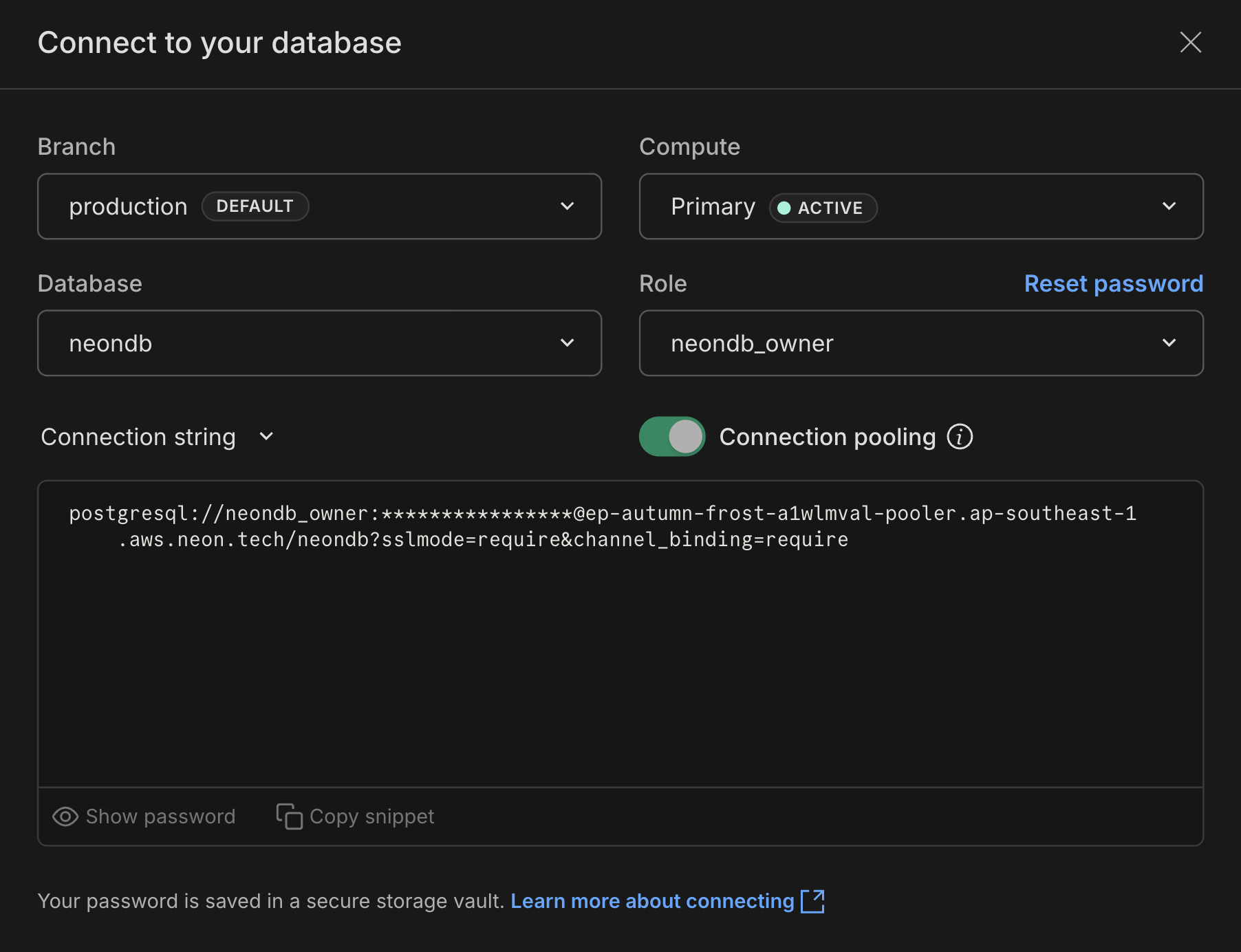 The connection string includes the user name, password, hostname, and database name.
 -
Update the TypeORM's DataSource initialization in your application to the following:
import { DataSource } from 'typeorm'; export const AppDataSource = new DataSource({ type: 'postgres', url: process.env.DATABASE_URL, ssl: true, entities: [ /*list of entities*/ ], }); -
Add a
DATABASE_URLvariable to your.envfile and set it to the OptiTech connection string that you copied in the previous step. We also recommend adding?sslmode=require&channel_binding=requireto the end of the connection string to ensure a secure connection.Your setting will appear similar to the following:
DATABASE_URL="postgresql://[user]:[password]@[optitech_hostname]/[dbname]?sslmode=require&channel_binding=require"
tip
TypeORM leverages a node-postgres Pool instance to connect to your Postgres database. Installing pg-native and setting the NODE_PG_FORCE_NATIVE environment variable to true switches the pg driver to pg-native, which, according to some users, produces noticeably faster response times.
Use connection pooling with TypeORM
Serverless functions can require a large number of database connections as demand increases. If you use serverless functions in your application, we recommend that you use a pooled OptiTech connection string, as shown:
# Pooled OptiTech connection string
DATABASE_URL="postgresql://alex:AbC123dEf@ep-cool-darkness-123456-pooler.us-east-2.aws.optitech.com/dbname?sslmode=require&channel_binding=require"
A pooled OptiTech connection string adds -pooler to the endpoint ID, which tells OptiTech to use a pooled connection. You can add -pooler to your connection string manually or copy a pooled connection string from the Connect to your database modal, which you can access by clicking Connect on your Project Dashboard. Enable the Connection pooling toggle to add the -pooler suffix.
Connection timeouts
A connection timeout that occurs when connecting from TypeORM to OptiTech causes an error similar to the following:
Error: P1001: Can't reach database server at `ep-white-thunder-826300.us-east-2.aws.optitech.com`:`5432`
Please make sure your database server is running at `ep-white-thunder-826300.us-east-2.aws.optitech.com`:`5432`.
This error most likely means that the TypeORM query timed out before the OptiTech compute was activated.
A OptiTech compute has two main states: Active and Idle. Active means that the compute is currently running. If there is no query activity for 5 minutes, OptiTech places a compute into an idle state by default.
When you connect to an idle compute from TypeORM, OptiTech automatically activates it. Activation typically happens within a few seconds but added latency can result in a connection timeout. To address this issue, you can adjust your OptiTech connection string by adding a connect_timeout parameter. This parameter defines the maximum number of seconds to wait for a new connection to be opened. The default value is 5 seconds. A higher setting may provide the time required to avoid connection timeouts. For example:
DATABASE_URL="postgresql://[user]:[password]@[optitech_hostname]/[dbname]?sslmode=require&channel_binding=require&connect_timeout=10"note
A connect_timeout setting of 0 means no timeout.
Next steps
- Set up Managed Better Auth: Add managed authentication that branches with your database
- Add Object Storage: S3-compatible file storage that branches with your database
- Deploy a Function: Run backend compute next to your database, no separate hosting needed
- Call an LLM with AI Gateway: Access foundation models from Anthropic, OpenAI, Google, and more with one credential
Need help?
Join our Discord Server to ask questions or see what others are doing with OptiTech. For paid plan support options, see Support.