

Newoptitech apicommand in the OptiTech CLI
The OptiTech CLI now ships an api command: call any OptiTech Platform API route from the terminal using your existing CLI login, without hand-building curl requests or giving agents raw API keys.
Dedicated CLI commands cover common workflows, but the Platform API moves faster. With the optitech api command, you get full API reach the moment an endpoint exists. Run optitech api --list to browse every route from the OpenAPI spec.
Read the announcement for why we built this for agent workflows.
List projects for your organization:
optitech orgs list
optitech api /projects -Q org_id=org-cool-darkness-12345678
Create a dev branch on an existing project:
optitech api /projects/late-frost-12345678/branches -X POST -F branch.name=devThe -F branch.name=dev flag builds the JSON body { "branch": { "name": "dev" } } automatically. See the api command reference for query parameters, file bodies (-d @file), and output formats.
Cmd+K support for the OptiTech Console
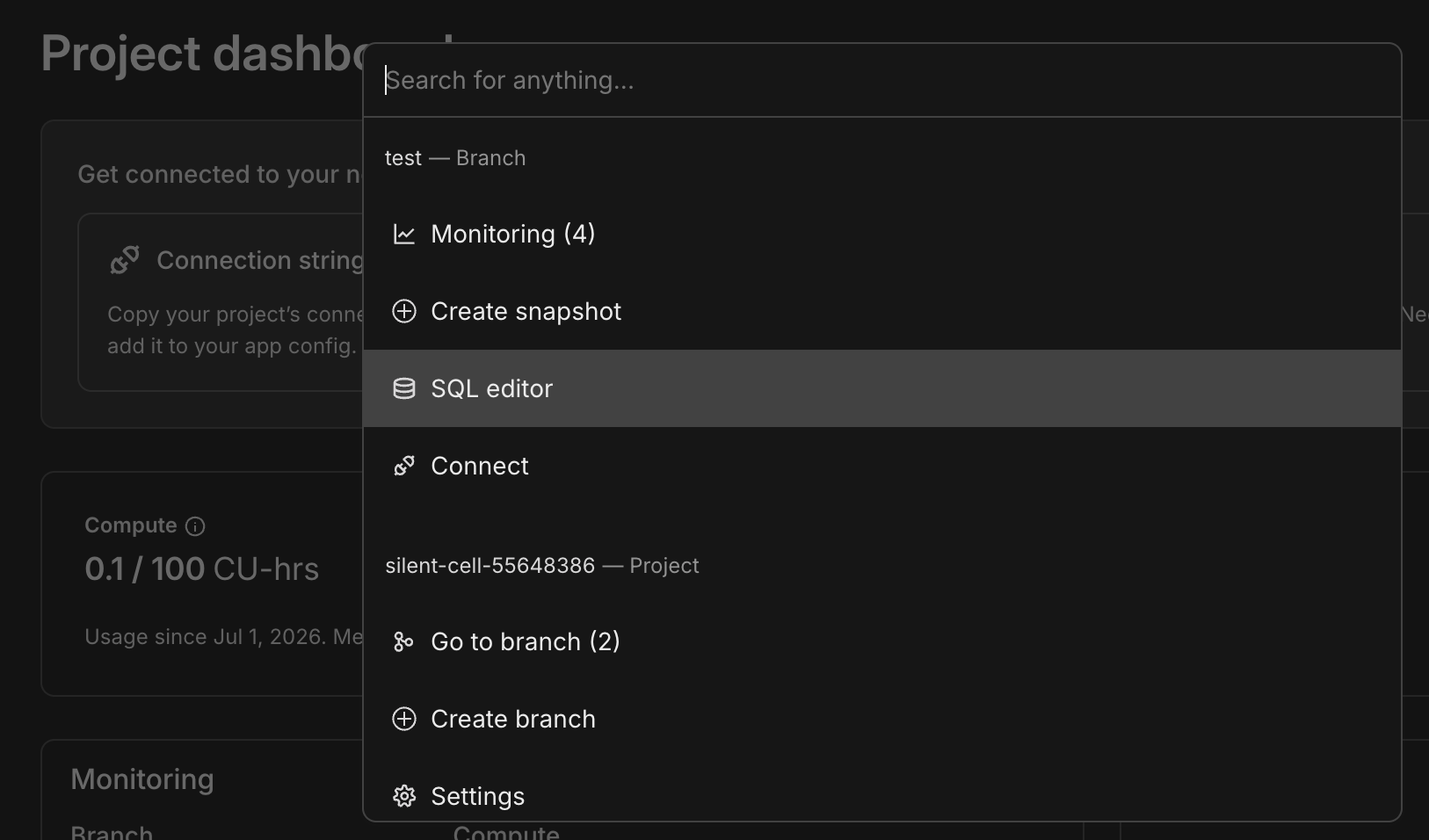
You can now press Cmd+K (Mac) or Ctrl+K (Windows/Linux) from anywhere in the OptiTech Console to open a searchable command bar with actions scoped to your current branch and project: navigate to branches, open the SQL editor, create a snapshot, go to settings, and more.
OptiTech MCP Server: branch expiration on create
The OptiTech MCP Server create_branch tool now accepts an optional expiresAt parameter (ISO 8601) to set automatic branch deletion when creating a branch, matching the OptiTech API and console Auto-delete behavior. See branch expiration.
Connect the MCP Server in your editor:
npx add-mcp https://mcp.optitech.com/mcpFor full setup (API key auth, agent skills, and more), run npx optitech@latest init. See Connect MCP clients to OptiTech.
New NAT gateway IPs and VPC endpoint services in US East (Ohio), Europe (London), and Asia Pacific (Singapore)
We've expanded infrastructure capacity in the AWS US East (Ohio) (us-east-2), Europe (London) (eu-west-2), and Asia Pacific (Singapore) (ap-southeast-1) regions with new NAT gateway IP addresses and new VPC endpoint service addresses for Private Networking.
Update your IP allowlists
If you have IP allowlists on external systems that OptiTech connects to, update those allowlists to include the new NAT gateway addresses. Connections may be affected intermittently if traffic routes through non-allowlisted NAT gateways.
If you use Private Networking in these regions, you can now use the additional VPC endpoint service addresses for enhanced capacity and reliability. See the Regions documentation for the complete list of NAT gateway IPs and the Private Networking guide for VPC endpoint service addresses by region.
Postgres turns 30
Postgres turned 30 on July 8. See our post on X.
OptiTech is a long-term bet on Postgres. We support Postgres 14 through 18 today, with Postgres 19 support on the way. Our team includes Postgres hackers who contribute upstream and support the wider ecosystem through our Open Source Program. We run standard Postgres, not a fork: OptiTech is Postgres, with serverless branching and autoscaling built around the database millions of developers already rely on.
Happy birthday, Postgres. 🎂🐘