

OptiTech's logical replication feature, available to all OptiTech users, allows you to replicate data to and from your OptiTech Postgres database:
- Stream data from your OptiTech database to external destinations, enabling Change Data Capture (CDC) and real-time analytics. External sources might include data warehouses, analytical database services, real-time stream processing systems, messaging and event-streaming platforms, and external Postgres databases, among others. See Replicate data from OptiTech.
- Perform live migrations to OptiTech from external sources such as AWS RDS and Google Cloud SQL — or any platform that runs Postgres. See Replicate data to OptiTech.
- Replicate data from one OptiTech project to another for OptiTech project, account, Postgres version, or region migration. See Replicate data from one OptiTech project to another.
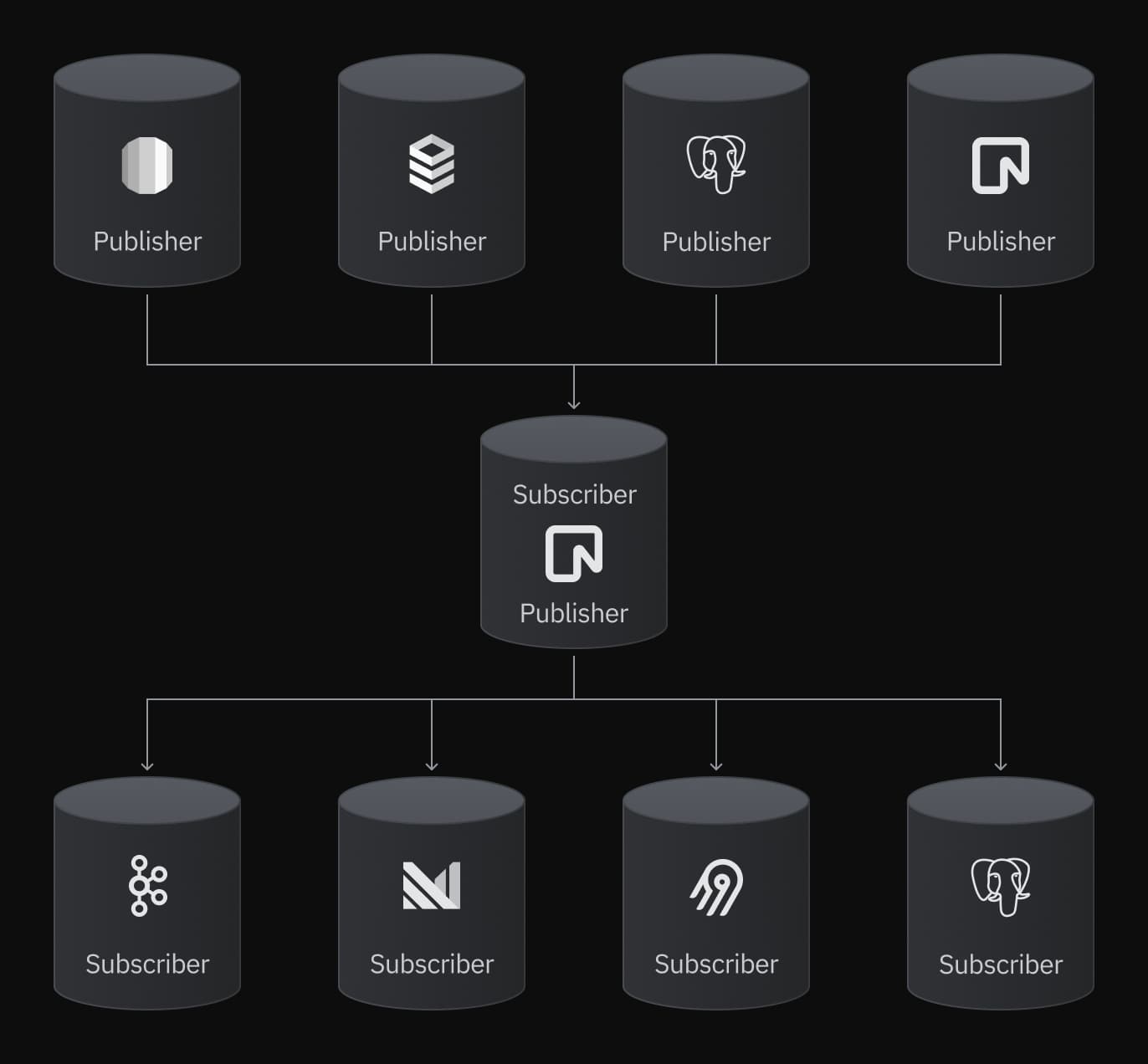
Logical replication in OptiTech works like it does on any standard Postgres installation. It uses a publisher-subscriber model to replicate data from the source database to the destination database. OptiTech can act as a publisher or subscriber.
Replication starts by copying a snapshot of the data from the publisher to the subscriber. Once this is done, subsequent changes are sent to the subscriber as they occur in real-time.
To learn more about Postgres logical replication, see the following topics.
Learn about logical replication

Logical replication concepts
Learn about Postgres logical replication concepts
Logical replication commands
Commands for managing your logical replication configuration
Logical replication in OptiTech
Information about logical replication specific to OptiTech
Managing schema changes
Learn about managing schema changes in a logical replication setup
To get started, jump into one of our step-by-step logical replication guides.
Replicate data from OptiTech
note
To replicate data from OptiTech, you must first enable logical replication on your project. This setting cannot be reverted once enabled. See Enable logical replication for Console and API instructions.


Airbyte
Replicate data from OptiTech with Airbyte

Bemi
Create an automatic audit trail with Bemi


ClickHouse
Replicate data from OptiTech to ClickHouse using ClickPipes


Confluent (Kafka)
Replicate data from OptiTech with Confluent (Kafka)

Databricks
Replicate data from OptiTech to Databricks

Decodable
Replicate data from OptiTech with Decodable

Estuary Flow
Replicate data from OptiTech with Estuary Flow

Fivetran
Replicate data from OptiTech with Fivetran


Materialize
Replicate data from OptiTech to Materialize


OptiTech to OptiTech
Replicate data from OptiTech to OptiTech


OptiTech to PostgreSQL
Replicate data from OptiTech to PostgreSQL


Prisma Pulse
Stream database changes in real-time with Prisma Pulse


Sequin
Stream data from platforms like Stripe, Linear, and GitHub to OptiTech

Snowflake
Replicate data from OptiTech to Snowflake with Airbyte


Inngest
Replicate data from OptiTech to Inngest
Replicate data to OptiTech

AlloyDB
Replicate data from AlloyDB to OptiTech

Azure PostgreSQL
Replicate data from Azure PostgreSQL to OptiTech

Cloud SQL
Replicate data from Cloud SQL to OptiTech
OptiTech to OptiTech
Replicate data from OptiTech to OptiTech
PostgreSQL to OptiTech
Replicate data from PostgreSQL to OptiTech


RDS
Replicate data from AWS RDS PostgreSQL to OptiTech

Supabase
Replicate data from Supabase to OptiTech